 FlowBreak
macOS & iOS
You get interrupted.
Track it. See the pattern.
Protect your focus.
One tap. No accounts. All your data stays on your device.
The average knowledge worker loses 11.5 working weeks a year to interruptions and context switching.
Gloria Mark’s lab at UC Irvine has been studying workplace interruptions for two decades. The numbers are grim: roughly 85 interruptions per day for the average knowledge worker.1 Each one costs 23 minutes on average to fully recover from.2 Cumulatively, that’s 11.5 working weeks per year spent recovering from interruptions rather than doing the work.3
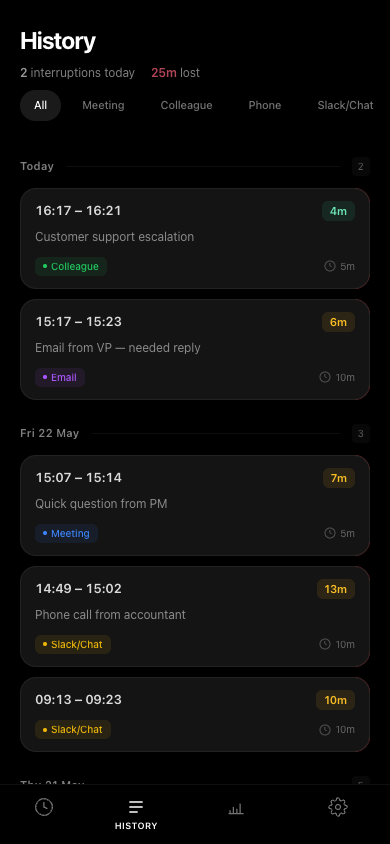
You already know interruptions are bad. What you don’t have is data: which hours are most fragile, which days are worst, what’s actually causing them. FlowBreak gives you that data.
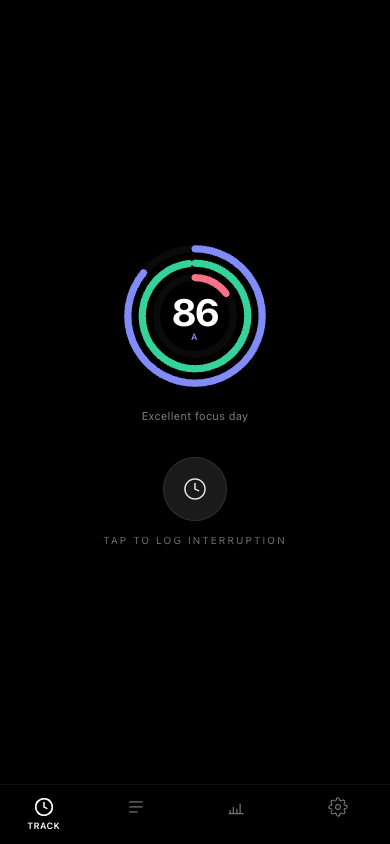
A daily Focus Score from 0 to 100, grounded in the research.
Every interruption you log counts against your score. Short ones hurt less. Long ones with big context switches hurt more. Your score is colour-graded: green above 80, red below 40.
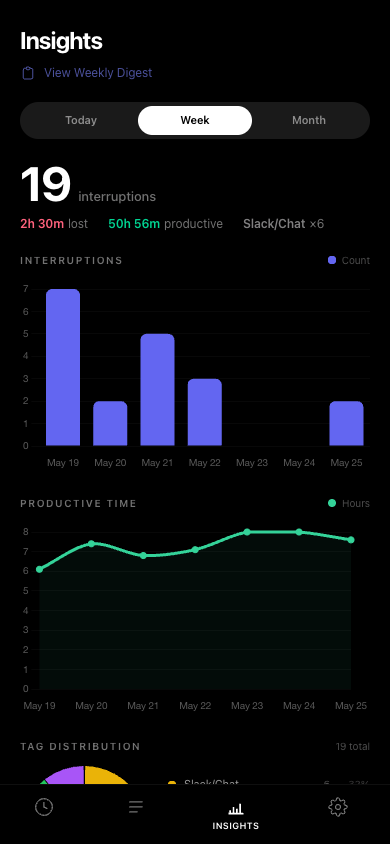
Charts show interruptions per day, productive hours remaining, and a breakdown by tag (Meeting vs Slack vs Phone — whatever you configure). Switch between today, this week, or this month.
It spots patterns you wouldn’t notice on your own.
FlowBreak surfaces your worst days of the month, your peak interruption windows, and recovery trends over the past 30 days. Each pattern gets a severity indicator so you know what to act on first.
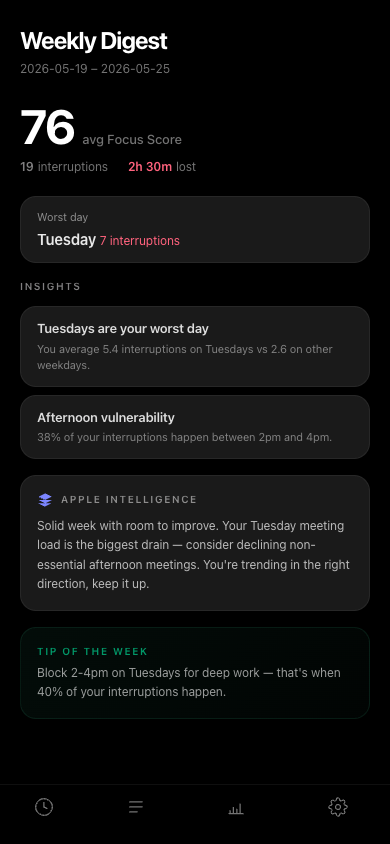
Every Monday you get a weekly digest: average Focus Score, worst day, and one specific tip generated on-device with Apple Intelligence. Your data never leaves your device to produce it.
per day Keller et al., 2020
deep work Mark et al., 2005
per year Bailey & Konstan, 2006
Widgets, Shortcuts, and menu bar access.
Lock Screen widget shows today’s interruption count at a glance. Siri Shortcuts let you start, stop, or check your Focus Score by voice. URL scheme (flowbreak://toggle) for Shortcuts automations.
On macOS, the menu bar app gives you one-click toggle. You never need to switch windows to log an interruption.
Your data. Your device. Your iCloud.
Everything lives in a local SQLite database. If you enable iCloud sync, your data goes into your private CloudKit container — the developer has zero access. There are no analytics SDKs, no tracking, and no FlowBreak servers. If you uninstall the app, your data is gone. If you want to keep it, export as CSV from Settings.
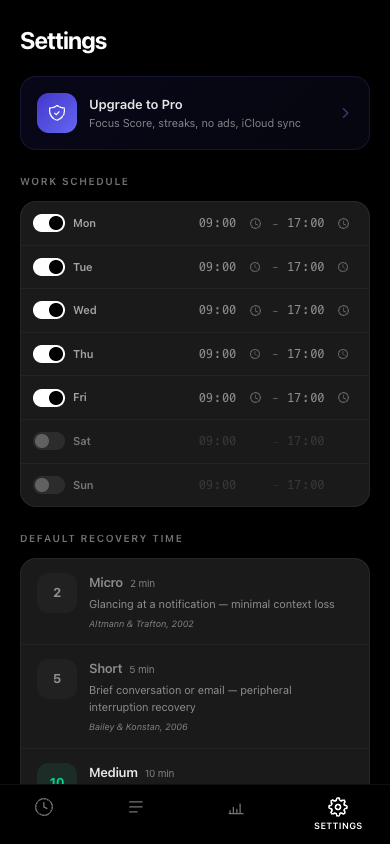
Set your working hours per day of the week. Customise recovery time presets (2m, 5m, 10m, 23m — each backed by peer-reviewed research). Optionally set your hourly rate to see what interruptions cost in dollars.
FlowBreak is free. Interruption logging, Focus Score, charts, pattern detection, weekly digest, widgets, shortcuts — all free.
FlowBreak Pro is $1.99/month, $14.99/year, or $39.99 lifetime. It adds trend analysis, focus streaks, unlimited custom tags, iCloud sync, and removes ads. 7-day free trial. Cancel from your Apple ID settings.
1. Keller, A.C., Meier, L.L., Elfering, A. & Semmer, N.K. (2020). Work interruptions as stressors. Journal of Occupational Health Psychology, 25(5).
2. Mark, G., Gonzalez, V.M. & Harris, J. (2005). No task left behind? Proc. CHI 2005, ACM.
3. Bailey, B.P. & Konstan, J.A. (2006). On the need for attention-aware systems. Computers in Human Behavior, 22(4).
4. Mark, G., Gudith, D. & Klocke, U. (2008). The cost of interrupted work. Proc. CHI 2008, ACM.
5. Altmann, E.M. & Trafton, J.G. (2002). Memory for goals. Cognitive Science, 26(1).